
Data Export Process
Exporting Data From your Legacy Account
There are two ways to access your legacy data.
Self-Service Access: Download your data from your account directly with the 4 easy steps below.
Please note that there is a 20 report limit which will create 1 PDF with all selected final background screening reports separated by candidate.
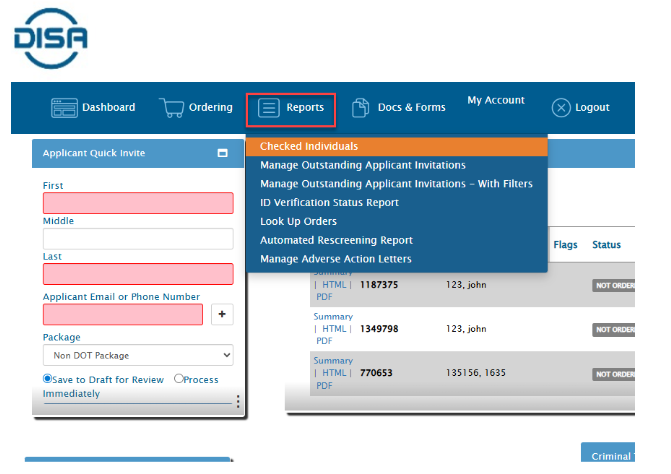
STEP 1:Click on Reports >> Checked Individuals.
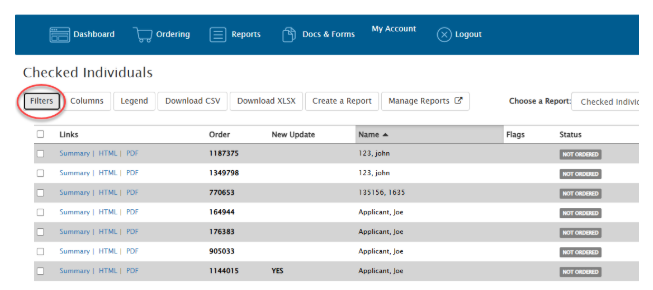
STEP 2: Use the Filters button to filter the reports as needed. For example, you may want to filter the list to only Completed reports or reports within a certain time frame.
STEP 3:Click the checkbox in the top left corner under the Filters button. This will select all orders and expand a new list of options along the left side of the page. At the bottom is “View/Print as PDF”.
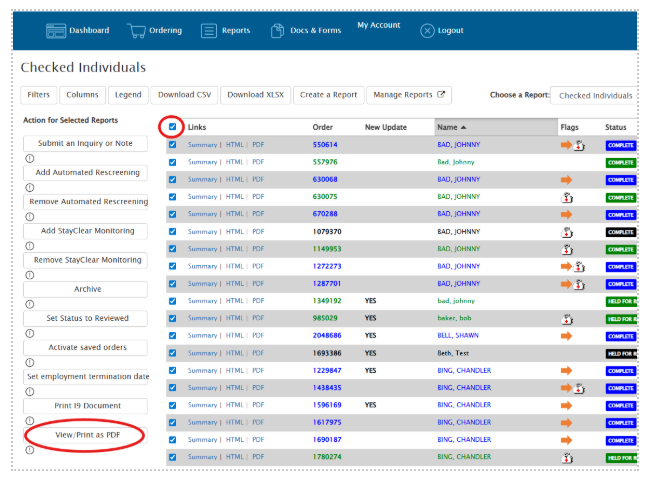
STEP 4:Click View/Print as PDF to generate one big PDF file with all your orders.
DISA Managed Export: the DISA Support Team can assist in exporting your reports.
To initiate an export request, please contact your DISA account representative or email DISA Client Care at service@disa.com and indicate “Data Extract” in the subject title. Please note that there is a $850.00 project fee for DISA to manage this for you. Your export will include files for each candidate and all supporting client facing documents attached to the order.